AIMay 13, 2026
Ask Amplitude AI button in Slack Previews
Introducing the Ask Amplitude AI button in Slack previews to enhance user interaction with Amplitude AI features directly from Slack.
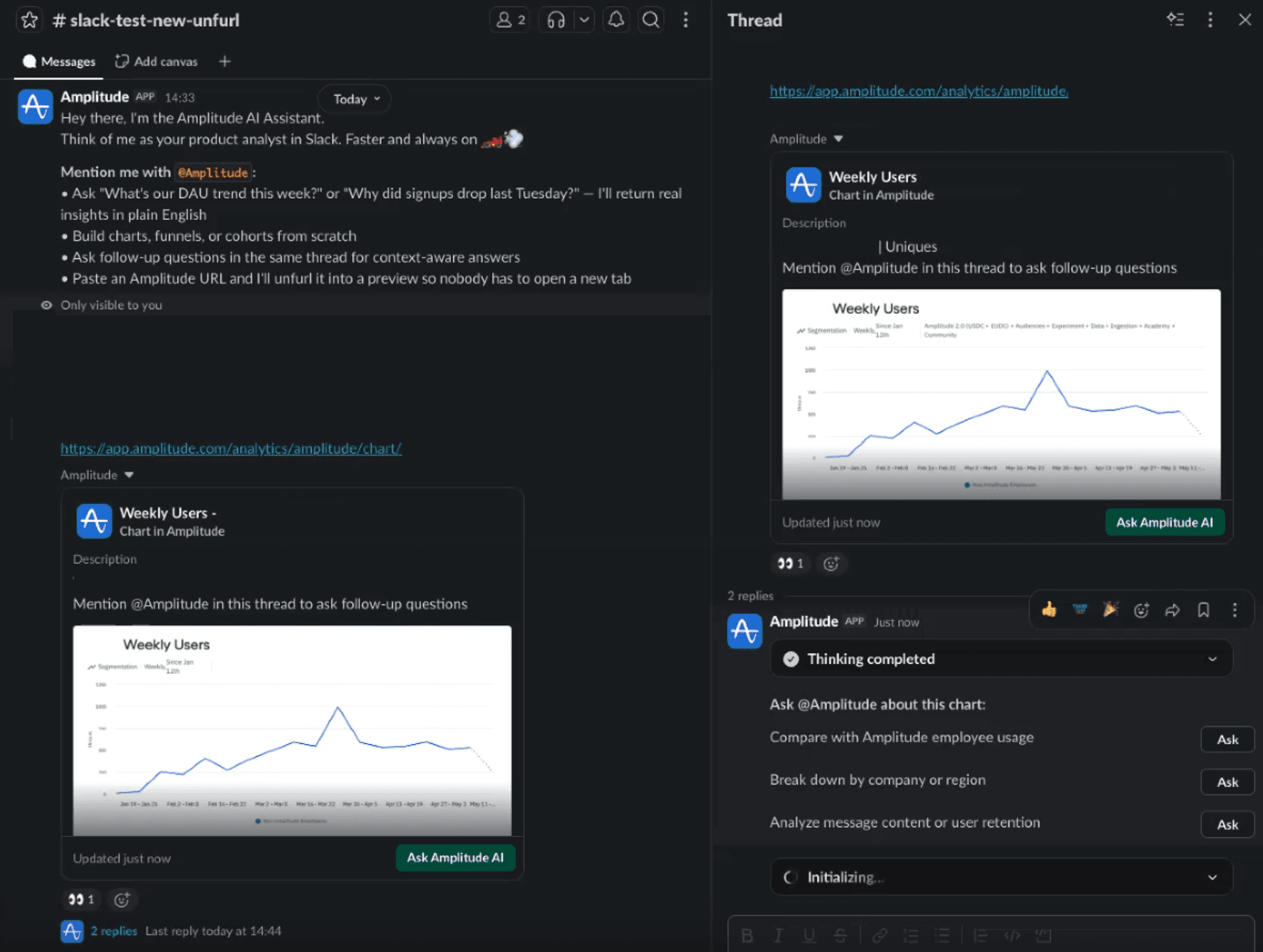
What it is
Description: Amplitude link previews in Slack just got a lot more useful. When someone shares an Amplitude chart or dashboard link in Slack, the updated unfurl card now surfaces chart context, suggested questions, and a direct way to kick off a Global Agent conversation — right from the preview.
With this update, you can:
- Click "Ask Amplitude AI" to instantly generate relevant questions about the shared chart
- Mention @Amplitude in the thread to ask follow-up questions without leaving Slack
- Open the chart directly in Amplitude or view linked Slack conversations related to it
Where: Access via any Amplitude chart or dashboard link shared in Slack — connect your Slack account in Amplitude settings to get started. When: Available now. Currently supported for charts and dashboards only.